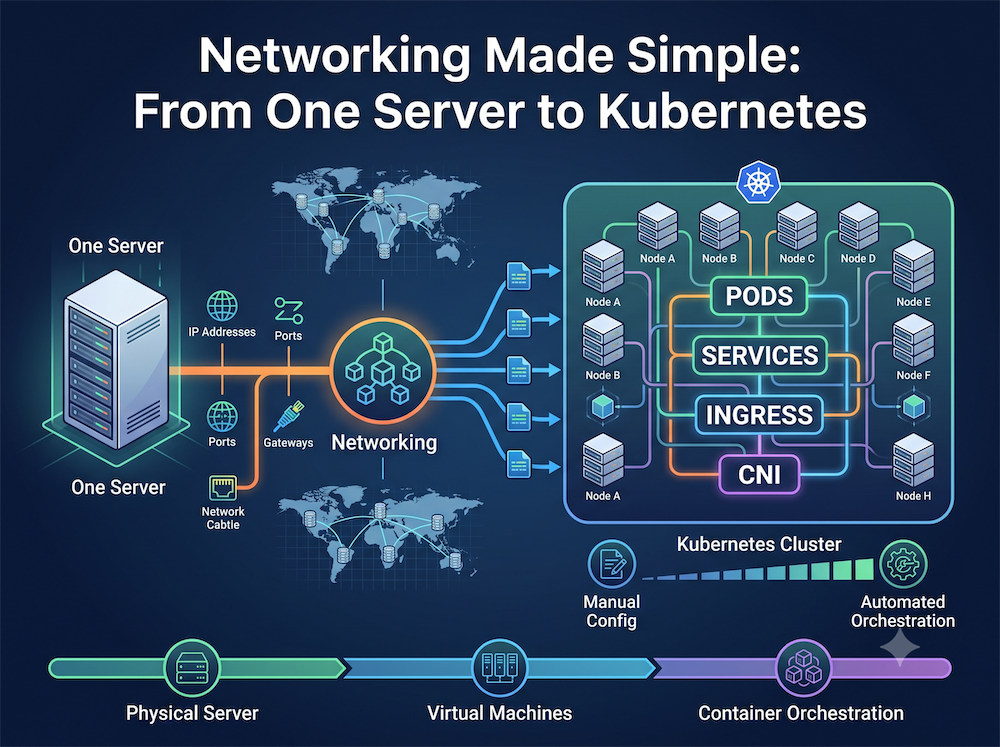
Networking can feel complicated because we hear words like IP, DNS, ports, subnets, routing, NAT, VPC, Docker, Kubernetes, Ingress — all at once.

But the easiest way to understand networking is to follow one simple question:
“How does a request find the right application, and how do we control who is allowed to reach it?”
Let’s build the answer step by step.
1. Finding the Server: IP Addresses & DNS
Imagine you have deployed a web application on a server.
Every server needs an IP address so other machines know where to find it.
For example:
                 Internet
                    │
                    │
              myapp.com
                    │
                    ▼
                  DNS
                    │
                    ▼
             203.0.113.42
                    │
                    ▼
              ┌───────────┐
              │   Server  │
              │ 203.0.113.42
              └───────────┘
But nobody wants to remember:
203.0.113.42
We prefer:
myapp.com
That’s where DNS (Domain Name System) comes in.
Think of DNS as the phonebook of the internet.
myapp.com
    │
    ▼
  DNS
    │
    ▼
203.0.113.42
Simple takeaway:
- IP = Where is the server?
- DNS = What name should I use to find it?
2. One Server, Multiple Apps: Ports
Now imagine the same server is running:
- Website
- API
- Database
They all have the same IP address.
So how does the server know which application should receive the request?
Ports.
Think of a server as an apartment building.
                 Server
            203.0.113.42
                  │
       ┌──────────┼──────────┐
       │          │          │
     :443       :8080      :5432
       │          │          │
       ▼          ▼          ▼
    Website      API     Database
For example:
203.0.113.42:443   → HTTPS
203.0.113.42:8080  → API
203.0.113.42:5432  → PostgreSQL
Simple takeaway:
IP finds the machine. Port finds the application.
3. Organizing the Network: Subnets
As our application grows, putting everything in one network isn’t a great idea.
We might have:
                 Network
                    │
        ┌───────────┴───────────┐
        │                       │
   Public Subnet           Private Subnet
        │                       │
   ┌────┴────┐             ┌────┴────┐
   │ Web/App │             │ DB      │
   │ Servers │             │ Servers │
   └─────────┘             └─────────┘
A subnet is simply a smaller section of a larger network.
We can use different subnets for different purposes:
- Public subnet → Internet-facing systems
- Private subnet → Application servers
- More restricted subnet → Databases
This gives us better organization, isolation and security.
Simple takeaway:
Subnets divide one large network into smaller logical networks.
4. Directing Traffic: Routing
Now we have multiple subnets.
But how does traffic move from one subnet to another?
That’s the job of routing.
Think of a router as a GPS for network packets.
             Web Server
                 │
                 │
                 ▼
          ┌─────────────┐
          │   Router    │
          │ Route Table │
          └──────┬──────┘
                 │
                 ▼
          Private Subnet
                 │
                 ▼
             Database
A route table basically answers:
“If the destination is X, where should I send the packet?”
For example:
Destination          Next Hop
-----------          --------
10.0.1.0/24    →     App Subnet
10.0.2.0/24    →     DB Subnet
0.0.0.0/0      →     Internet Gateway
Simple takeaway:
Routing decides where the traffic should go.
5. Securing the Borders: Firewalls
Routing tells us where traffic can go.
But we also need to decide:
“Should this traffic be allowed?”
That’s where firewalls come in.
Think of a firewall as a security guard.
Internet
   │
   │  HTTPS :443
   ▼
┌──────────────┐
│   Firewall   │
│              │
│ Allow :443   │
│ Deny :5432   │
└───────┬──────┘
        │
        ▼
    Web Server
For example:
Internet → Web Server :443     ✅ ALLOW

Internet → Database :5432      ❌ DENY

App Server → Database :5432    ✅ ALLOW
This is an important distinction:
Routing  → Where should traffic go?
Firewall → Is that traffic allowed?
Simple takeaway:
Routing provides the path. Firewall controls access to that path.
6. Private Servers Reaching Out: NAT
Now let’s make our database and backend servers private.
They don’t need to be directly accessible from the internet.
But they might still need to access the internet for things like:
- Downloading updates
- Calling an external API
- Pulling packages
So how can a private server reach the internet without having its own public IP?
Enter NAT — Network Address Translation.
Private Network

10.0.1.10 ──┐
10.0.1.11 ──┤
10.0.1.12 ──┤
10.0.1.13 ──┘
             │
             ▼
        ┌──────────┐
        │    NAT   │
        │ Gateway  │
        └────┬─────┘
             │
       Public IP
      203.0.113.5
             │
             ▼
          Internet
Multiple private servers can share one public IP.
The NAT gateway keeps track of the connections and sends responses back to the correct private server.
This is also the basic idea behind your home Wi-Fi router.
Simple takeaway:
NAT lets private systems communicate with the internet without exposing their private IPs.
7. The Cloud Evolution: VPC
Now let’s move the same architecture to the cloud.
AWS, Azure and GCP give us the ability to create our own logical network.
This is commonly called a VPC — Virtual Private Cloud.
Think of a VPC as:
“My own private network inside the cloud.”
A typical setup looks like this:
                    INTERNET
                        │
                        ▼
                ┌──────────────┐
                │ Load Balancer│
                └───────┬──────┘
                        │
                ┌───────▼───────┐
                │  Public Subnet│
                └───────┬───────┘
                        │
                ┌───────▼───────┐
                │ Private Subnet│
                │  App Servers  │
                └───────┬───────┘
                        │
                ┌───────▼───────┐
                │ Private Subnet│
                │   Database    │
                └───────────────┘
Inside a VPC we typically have:
VPC
 │
 ├── Subnets
 │
 ├── Route Tables
 │
 ├── Internet Gateway
 │
 ├── NAT Gateway
 │
 └── Security Groups / NACLs
The important thing is that cloud networking didn’t replace networking fundamentals.
It simply gave us cloud-managed versions of the same concepts.
8. Containers Change the Game: Docker Networking
Now let’s say we package our applications into Docker containers.
Instead of running everything directly on the server:
Server
 ├── Web
 ├── API
 └── Database
we might have:
Docker Host
 ├── Container: Web
 ├── Container: API
 └── Container: Database
Docker creates virtual networks so these containers can communicate.
             Docker Host
        ┌─────────────────────┐
        │                     │
        │    Docker Network   │
        │                     │
        │  ┌─────┐   ┌─────┐  │
        │  │ Web │   │ API │  │
        │  └─────┘   └──┬──┘  │
        │               │     │
        │            ┌──▼───┐ │
        │            │  DB  │ │
        │            └──────┘ │
        └─────────────────────┘
And we can expose a container port to the host:
Host :8080
     │
     ▼
Container :80
     │
     ▼
    Web App
For example:
docker run -p 8080:80 my-web-app
Meaning:
Host port 8080 → Container port 80
Again, the same networking ideas are appearing at another layer.
9. Kubernetes: Networking at Scale
Running a few containers is easy.
Running hundreds of containers across many servers is a different story.
That’s where Kubernetes comes in.
Kubernetes introduces a few important networking concepts.
Pods
A Pod gets its own IP address.
Kubernetes Cluster

 ┌───────────────────────────┐
 │                           │
 │  Pod 10.0.1.10            │
 │  ┌───────┐ ┌──────────┐   │
 │  │ App   │ │ Sidecar  │   │
 │  └───────┘ └──────────┘   │
 │                           │
 │  Pod 10.0.1.11            │
 │  ┌───────┐                │
 │  │ App   │                │
 │  └───────┘                │
 │                           │
 └───────────────────────────┘
But Pods are temporary.
A Pod can disappear and be recreated with a different IP.
So we need something stable.
Services
A Kubernetes Service provides a stable endpoint in front of Pods.
                 Client
                    │
                    ▼
             ┌────────────┐
             │  Service   │
             │ 10.96.0.10 │
             └─────┬──────┘
                   │
             ┌─────┼─────┐
             │     │     │
             ▼     ▼     ▼
           Pod   Pod   Pod
           :10   :11   :12
The Pods can come and go.
The Service remains stable.
Simple takeaway:
Pods are temporary. Services provide stable access.
10. One Entry Point for Many Apps: Ingress
Finally, imagine we have many services:
myapp.com       → Frontend
api.myapp.com   → API
admin.myapp.com → Admin
We don’t necessarily want a separate public entry point for every service.
That’s where Ingress comes in.
                       Internet
                           │
                           ▼
                    ┌────────────┐
                    │  Ingress   │
                    └─────┬──────┘
                          │
             ┌────────────┼────────────┐
             │            │            │
             ▼            ▼            ▼
        Frontend        API         Admin
        Service       Service       Service
Ingress acts like a reception desk.
It looks at the request and decides where it should go.
api.myapp.com
      │
      ▼
   Ingress
      │
      ▼
 API Service
      │
      ▼
   API Pods
The Big Picture
And this is the part I find most useful.
All these networking concepts are really solving the same few problems:
             NETWORKING
                  │
       ┌──────────┼──────────┐
       │          │          │
       ▼          ▼          ▼
   IDENTIFY    DIRECT      CONTROL
       │          │          │
       ▼          ▼          ▼
     IP/DNS    Routing     Firewall
       │
       ▼
     Ports
       │
       ▼
   Application
As the infrastructure grows, the same ideas keep coming back:
Single Server
     │
     ▼
IP + DNS + Ports
     │
     ▼
Multiple Networks
     │
     ▼
Subnets + Routing + Firewalls
     │
     ▼
Private Infrastructure
     │
     ▼
NAT
     │
     ▼
Cloud
     │
     ▼
VPC + Subnets + Gateways
     │
     ▼
Containers
     │
     ▼
Docker Networking
     │
     ▼
Kubernetes
     │
     ▼
Pods + Services + Ingress
The 5 Questions to Remember
When troubleshooting a networking problem, don’t start with the acronyms.
Start with these questions:
1. Where is the destination?
→ IP / DNS
2. Which application should receive the traffic?
→ Port
3. How does the packet get there?
→ Routing
4. Is the traffic allowed?
→ Firewall / Security Group
5. Is the destination public or private?
→ NAT / Gateway / Network design
Once these become second nature, Docker, Kubernetes and cloud networking become much easier to understand.
The tools change. The networking fundamentals don’t.
That’s probably the most important lesson from this entire topic.